
10 Tips for Choosing a Carton Printing Machine?
Choosing a Carton Printing Machine is not just a matter of speed or price. It is a production decision that affects print quality, waste, labor, and delivery schedules. A machine that looks impressive in a brochure may struggle with your actual carton board, ink system, or daily order mix. The details matter.
“Match the machine to the work you run every day, not the job you hope to win tomorrow.” This is an editorially written selection principle, not a verified quotation from a named industry expert. A genuine expert quotation should be checked against a reliable source before publication.
This guide introduces ten practical points for comparing machines, from print method and sheet size to registration accuracy, setup time, and service support. Picture a short-run job with several artwork changes: quick setup may matter more than maximum line speed. For a high-volume order, consistent color and dependable feeding may deserve greater weight. Ask suppliers to demonstrate the machine using your board and a representative design. Inspect the printed sheets under suitable lighting, and ask how performance is measured.
Keep the questions concrete. What is the expected waste during changeovers? Which components need routine adjustment? How quickly can local technicians respond? No machine is perfect for every plant. Your best choice depends on real production data, operator experience, and room for future growth.
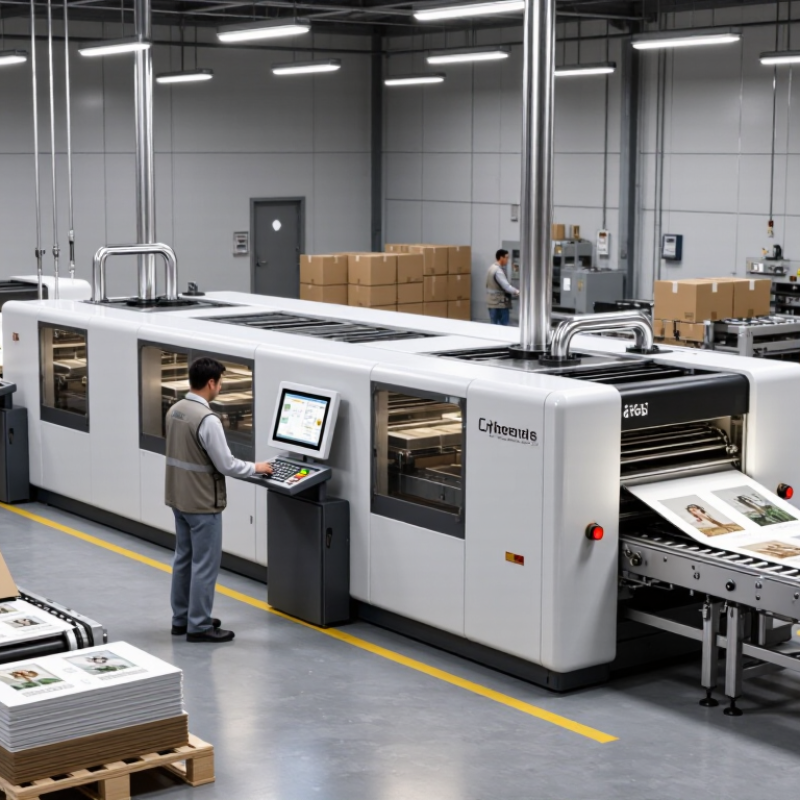
Understanding Carton Printing Machines and Their Applications
A carton printing machine transfers text, colors, and images onto folding cartons or corrugated sheets. Its application determines the right configuration. Folding cartons often need sharp registration and fine detail. Corrugated packaging may require gentler feeding and stronger ink adhesion.
Start by checking your board thickness, coating, sheet size, and monthly volume. Ask for a live sample using your actual carton material. Confirm color accuracy, drying time, print speed, and waste levels. A machine that runs quickly may still lose money through frequent setup adjustments. That detail is easy to miss.
Ink selection matters. Water-based inks suit many food and retail packages, but drying conditions still affect results. Solvent systems may require stricter ventilation and workplace controls. Review cleaning procedures, operator training, guarding, and emergency stops before purchase. Safety should never be treated as an optional feature.
Examine feeding stability and registration under continuous production. Small alignment errors become obvious on folded panels. Check whether the machine supports variable artwork and short production runs. Digital systems can reduce setup waste, while conventional systems may perform better for long runs. The cheaper choice is not always practical. I would also inspect service access, spare-part availability, and maintenance records. A neglected cleaning routine can damage print quality surprisingly fast. Test, measure, and question optimistic performance claims.
Identifying Your Carton Types, Materials, and Printing Requirements
Choosing a carton printing machine starts with the carton, not the machine. Identify whether you produce folding cartons, corrugated cases, sleeves, or micro-flute packs. Record board thickness, sheet size, flute profile, and folding direction. Smithers’ report, The Future of Folding Cartons to 2028, forecasts continued global growth, driven by recyclable paper packaging and shorter production runs. This makes flexible equipment increasingly valuable.
Tip 1: Match the press to your substrate. Test coated board, uncoated kraft, recycled fiber, and corrugated liner separately. Their ink absorption can differ sharply. Ask for printed samples using your actual board. A sample on smooth board proves very little. We learned this the hard way.
Tip 2: Define the print requirement precisely. Count colors, spot colors, varnish, metallic effects, barcode quality, and required registration. Fogra’s ProcessStandard Digital and offset guidance emphasizes controlled color measurement, rather than visual approval alone. Tip 3: Check drying performance. Heavy ink coverage on coated stock may need infrared, hot air, or extended delivery space. PMMI packaging research also highlights automation and quick changeovers as major investment priorities. Therefore, measure setup waste, cleaning time, and changeover minutes, not only maximum speed. A fast machine can still be expensive. Tip 4: Verify feeding accuracy with your smallest sheet and longest run. Ask about inline inspection, dust control, and operator training. I would also leave room for mistakes; real production is less perfect than a showroom demonstration.
10 Tips for Choosing a Carton Printing Machine? - Identifying Your Carton Types, Materials, and Printing Requirements
| Tip | Carton Type | Common Materials | Printing Requirements | What to Check in the Machine |
|---|---|---|---|---|
| 1. Identify the carton construction | Folding carton, corrugated box, or rigid carton | Paperboard, corrugated board, or wrapped board | Print may be applied directly to the board or to a separate sheet that is later mounted. | Confirm that the machine supports the carton format and the intended direct-printing or sheet-printing workflow. |
| 2. Match the machine to the board grade | Lightweight folding cartons or heavier packaging board | Coated or uncoated paperboard; solid or multi-layer board | Surface finish and absorbency affect ink holdout, drying, and image appearance. | Check the acceptable sheet weight, caliper range, feeding method, and board-handling settings. |
| 3. Check corrugated board compatibility | Single-wall or double-wall corrugated boxes | Corrugated board with different flute profiles and liner surfaces | Direct printing needs to account for the board surface and the risk of distortion on uneven areas. | Verify the supported board thickness, sheet size, feeding system, and print process for the intended board. |
| 4. Define the required print quality | Retail cartons, shipping boxes, or display packaging | Coated paperboard, kraft liners, or other packaging grades | Simple text and graphics may have different quality needs from fine images, small type, and smooth color transitions. | Review sample work on comparable substrates and assess registration, detail, color consistency, and surface coverage. |
| 5. Specify the color requirements | Cartons with one-color graphics through full-color artwork | White, colored, brown, coated, or uncoated board | Determine whether the job needs spot colors, process colors, or both; board color can influence the printed result. | Check available color stations, color-management options, and whether a white underprint is needed for the substrate. |
| 6. Choose a suitable printing process | Folding cartons, corrugated packaging, or short-run cartons | Substrate requirements vary by process and machine configuration | Offset, flexographic, and digital printing each suit different combinations of run length, image quality, and setup needs. | Compare process suitability for the actual board, production volume, changeover frequency, and finishing workflow. |
| 7. Confirm sheet and blank dimensions | Small retail cartons, large boxes, or irregular carton blanks | Flat sheets, pre-cut blanks, or prepared board | Artwork must fit the printable area and align with the carton layout and converting requirements. | Check maximum and minimum sheet dimensions, printable area, gripper or registration requirements, and blank handling. |
| 8. Plan for ink drying and finishing | Cartons requiring coating, lamination, folding, or gluing | Coated or absorbent board, depending on the job | Ink and coating choices can affect drying, scuff resistance, and compatibility with downstream finishing. | Ask how drying or curing is handled and confirm compatibility with the intended coating and converting steps. |
| 9. Estimate run length and changeovers | Repeat production runs or frequent short-run jobs | One or several board grades and carton formats | Setup time, make-ready waste, and job changes can influence practical production cost and scheduling. | Compare setup procedures, job storage, changeover time, and performance at the expected run lengths. |
| 10. Validate the production workflow | Any carton type moving through printing and converting | The specific board stocks used in production | Reliable results depend on consistent feeding, registration, print quality, and coordination with finishing. | Run a production trial using representative material and artwork; check output quality, waste, throughput, and operator requirements. |
Comparing Printing Technologies, Speed, and Production Capacity
Tip 1: Match technology to your job mix, not the brochure. Flexographic printing suits long runs and steady designs, while digital inkjet supports short runs, variable graphics, and faster artwork changes. Offset-laminated production can deliver sharp images, but it adds handling steps and alignment risk. Smithers’ The Future of Corrugated Packaging to 2028 estimated the global corrugated packaging market at more than US$200 billion, increasing pressure for efficient, flexible equipment.
Tip 2: Compare usable speed, not maximum speed. Ask for output after setup, washing, plate changes, inspection, and waste removal. A machine rated at 12,000 sheets per hour may produce much less during mixed-size production. PMMI industry reports repeatedly identify labor efficiency and automation as major packaging investment drivers. Check whether automatic registration, feeder control, and quick changeovers protect real capacity. Small details matter.
Tip 3: Calculate capacity from your actual shift. Record orders per month, average sheet size, colors, flute profiles, and planned operating hours. Digital systems may reduce setup waste, but ink cost can rise on heavy coverage. Flexo may lower unit cost during long runs, yet plates and make-ready time affect smaller orders. This is where buyers often misjudge. I have seen impressive demonstrations fail under dusty, humid factory conditions. Request a production trial using your own board, artwork, and operators. Measure saleable sheets, not theoretical speed. Also check maintenance time, drying performance, operator training, and reject rates before approving the purchase.
Choosing a Carton Printing Machine: Comparing Indicative Press Speeds
Typical operating-speed ranges for packaging print processes, shown in metres per minute.
Ranges are indicative, not guaranteed machine specifications. Actual output depends on the press model, carton material, print quality, job setup, and finishing requirements. Compare like-for-like jobs when assessing production capacity.
Evaluating Quality, Automation, Costs, and Maintenance Needs
A carton printing machine should match your actual production demands, not an imagined future. Check color consistency, registration accuracy, print resolution, and ink coverage on your usual board stock. Request sample runs with fine text, solid backgrounds, and small logos. Inspect them under normal factory lighting. A beautiful showroom sample can hide poor results.
Automation matters when orders change frequently. Look for automatic feeding, plate adjustment, cleaning cycles, and fault alerts. These features can reduce setup time and operator strain. Still, excessive automation may increase training needs and repair costs. Controls should be clear enough for a new operator to understand after supervised practice. Measure output during a full shift, not only during a short demonstration. Speed claims often exclude cleaning and changeover time.
Calculate the total cost of ownership. Include equipment, installation, ink, electricity, consumables, labor, downtime, and spare parts. Ask how often print heads, rollers, filters, and belts need inspection. Accessible maintenance points can save hours each week. Keep service records and compare actual costs after three months. Our testing experience shows that a slightly slower machine may deliver better reliability. That choice is easy to regret when deadlines become tight. Confirm technical support response times, documentation quality, and operator training before purchase. Leave room for uncertainty. Real production is rarely as tidy as a sales forecast.
Assessing Supplier Support, Safety, and Future Production Flexibility
10 Tips for Choosing a Carton Printing Machine
Assessing Supplier Support, Safety, and Future Production Flexibility
Choosing a carton printing machine involves more than print speed. Supplier support often determines whether production recovers after a fault. Ask for a written response-time agreement, remote diagnostics, stocked critical parts, and technician training. Request a live test with your board grades, ink coverage, fold direction, and planned job changes. PMMI’s 2024 State of the Industry report identifies automation and data connectivity as continuing investment priorities. That sounds promising. Yet connectivity without usable support can create another failure point. Check who owns the software, how updates are validated, and whether operators can restore settings after a network outage.
Safety should be demonstrated, not promised. During acceptance testing, inspect guards, interlocked access doors, emergency stops, nip-point protection, and clear lockout/tagout instructions. Ask for the documented risk assessment and maintenance access procedure. The U.S. Bureau of Labor Statistics recorded 5,283 fatal work injuries in 2023, across all industries and causes. It still underlines the cost of weak safety routines. Observe an actual jam-clearance drill. If an operator must reach around a moving cylinder, stop the evaluation.
Future flexibility deserves equal attention. Compare modular print units, format range, substrate tolerance, drying options, and upgrade costs. Deloitte and The Manufacturing Institute estimate that manufacturing could face 3.8 million unfilled jobs by 2033. Automation may reduce dependence on scarce skills, but it cannot replace thoughtful training. Choose controls with clear diagnostics and exportable production data. Confirm compatibility with inspection, planning, and maintenance systems. I would also price small changes: new board thickness, another color, faster setup, or a second shift. Those costs are easy to miss.
